ЗафиксированоBanked$0.00
Торгуй руками.Считать будет пульт. You trade.The panel does the math.
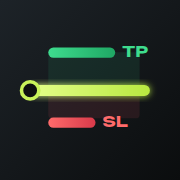
TradeDeck — пульт ручной торговли для MetaTrader 5 и 4. Стоп и цель ставятся линиями на графике, лот считается по вашему риску, позицию ведёт пульт.TradeDeck is a manual trading panel for MetaTrader 5 and 4. You set the stop and target with lines on the chart, the lot is sized to your risk, and the panel manages the position.
Оплата через PayPal. Файл и ключ сразу после оплаты.Pay with PayPal. The file and key right after payment.
Риск на сделкуRisk per trade$100.00
1.00 %
Лот · сам по рискуLot · auto by risk
0.16
min 0.01
Риск к целиRisk to target
1 : 2.0
Stop Loss
—
—
Take Profit
—
—
Потяните красную линию на графике и нажмите BUY или SELLDrag the red line on the chart, then press BUY or SELL
+$0.00
Одна и та же сделка: руками и с пультомThe same trade: by hand and with the panel
Пока вы считаете лот, цена уходит. Пульт делает расчёт за то время, что вы двигаете линию.While you work out the lot, the price moves away. The panel does the math in the time it takes to move a line.
ВручнуюBy hand
- Измерить стоп в пунктахMeasure the stop in points
- Найти стоимость пункта для символаLook up the point value for the symbol
- Посчитать сумму риска от балансаWork out the risk amount from the balance
- Поделить, учесть спред и комиссиюDivide, allow for spread and commission
- Округлить до шага лотаRound to the lot step
- Ввести лот, стоп и цель в окне ордераType the lot, stop and target into the order window
- Проверить цифры ещё раз и отправитьCheck the numbers again and send
Цена уже в другом местеThe price is already somewhere else
TradeDeck
- Потянуть линию стопа на уровеньDrag the stop line to your level
- Нажать BUY или SELLPress BUY or SELL
Сделка открыта, риск ровно вашTrade is open, the risk is exactly yours
После входа позицию ведёт пультAfter entry the panel takes over
ВходEntry
Лот по риску. Стоп и цель уходят брокеру вместе с ордером.Lot by risk. The stop and target go to the broker with the order.
Частичное закрытиеPartial close
На заданном уровне закрывается половина. Прибыль уже на счёте.Half is closed at the set level. That profit is already in the account.
БезубытокBreakeven
Стоп переезжает на цену входа. Сделка больше не может стать убыточной.The stop moves to the entry price. The trade can no longer turn into a loss.
ТрейлингTrailing
Стоп идёт за ценой и забирает остаток движения. Листайте дальше.The stop follows the price and collects the rest of the move. Keep scrolling.
Всё, что обычно делают в уме и в спешкеEverything you usually do in your head and in a hurry
Лот от чего угодноLot from any base
Процент баланса, средств, свободной маржи или сумма в деньгах. Спред, комиссия и шаг лота уже в расчёте.A percentage of balance, equity or free margin, or a money amount. Spread, commission and lot step are already in the math.
0.12
Шесть видов трейлингаSix kinds of trailing
Стоп подтягивается сам, по тому правилу, которому вы доверяете.The stop tightens by itself, by the rule you trust.
ПресетыPresets
Свои наборы риска и цели под разные стили. Нажмите, и график наверху перестроится.Your own sets of risk and target for different styles. Press one and the chart above follows.
Предупреждения до отправкиWarnings before sending
Пульт говорит о проблеме раньше, чем ордер уйдёт брокеру.The panel tells you about a problem before the order goes out.
Спред шире обычногоSpread is wider than usual
Стоп ближе, чем разрешает брокерStop is closer than the broker allows
Лот меньше минимальногоLot is below the minimum
Скрытые стоп и цельHidden stop and target
Уровни держит пульт, брокер их не видит. То же с виртуальными ордерами.The panel holds the levels; the broker does not see them. Same for virtual orders.
Видит брокерBroker seesSL — TP —
Держит пультPanel holds4124.40 4148.40
Ордера, которые ставятся перетаскиваниемOrders you place by dragging
Утащите линию входа в сторону от цены: пульт сам поймёт, Limit это или Stop, и пересчитает лот. Уровни 1R, 2R, 3R видны прямо на графике, а стоп и цель открытой сделки двигаются мышью.Drag the entry line away from the price: the panel works out whether it is a Limit or a Stop and re-sizes the lot. The 1R, 2R, 3R levels are marked on the chart, and the stop and target of an open trade are moved with the mouse.
MarketBuy LimitSell LimitBuy StopSell Stop
Уведомления в TelegramTelegram notifications
Открытие, закрытие и перенос стопа приходят сообщением.Opens, closes and stop moves arrive as a message.
XAUUSD BUY 0.12 @ 4132.40
Стоп → безубытокStop → breakeven
Закрыто по целиClosed at target +$192.00
Отошли от компьютера. Сделка осталась в руке.You left the desk. The trade stayed in your hand.
Это не картинка: телефон показывает ту же сделку, что и график наверху. Потяните стоп здесь, и он сдвинется там. Так же работает настоящий пульт.This is not a picture: the phone shows the same trade as the chart above. Drag the stop here and it moves there. The real panel works the same way.
Привязка одноразовым кодом из пультаLinked with a one-time code from the panel
Без пароля от счётаNo account password
Пароль торгового счёта не используется и никуда не передаётся.The trading account password is not used and not sent anywhere.
Без магазина приложенийNo app store
Открывается в браузере и ставится значком на экран. iPhone и Android.Opens in the browser and sits on the home screen as an icon. iPhone and Android.
График с инструментамиA chart with tools
Скользящие, Ишимоку, RSI, ATR, линии и сетка Фибоначчи.Moving averages, Ichimoku, RSI, ATR, lines and a Fibonacci grid.
Можно не включатьEntirely optional
Связь выключена по умолчанию. Пульт работает и без телефона.The link is off by default. The panel works without the phone.
Наведите камеру телефонаPoint your phone camera here
Откроется It opens app.tradedeck.dev
Как поставить на экран телефонаHow to put it on the home screenГоворим честно: что работает без компьютераStraight talk: what works without your computer
Пульт — программа внутри терминала. Лучше знать это до покупки, а не после.The panel is a program inside the terminal. Better to know that before buying than after.
Хранится у брокераStored by the broker
- обычные Stop Loss и Take Profitregular Stop Loss and Take Profit
- отложенные ордера Limit и StopLimit and Stop pending orders
Срабатывают, даже если компьютер выключен.They trigger even when the computer is off.
Выполняет пультPerformed by the panel
- трейлинг, безубыток, частичное закрытиеtrailing, breakeven, partial close
- скрытые уровни и виртуальные ордераhidden levels and virtual orders
- связь с телефономthe phone link
Работают, пока терминал запущен и в сети. Для работы круглые сутки терминал держат на VPS.They work while the terminal is running and online. For round-the-clock use the terminal is kept on a VPS.
Частые вопросыCommon questions
Пульт торгует сам?Does the panel trade by itself?
Нет. Решение о входе всегда ваше. Пульт считает объём, отправляет ордер и ведёт позицию по правилам, которые вы задали.No. The decision to enter is always yours. The panel sizes the trade, sends the order and manages the position by the rules you set.
Можно ли пользоваться на счёте проп-компании?Can I use it on a prop firm account?
Пульт ставит обычные ордера, как при ручной торговле. Правила про советников у компаний разные, поэтому проверьте условия своей.The panel places regular orders, the same as manual trading. Firms have different rules about expert advisors, so check the terms of yours.
Чем версия для MT4 отличается от MT5?How does the MT4 version differ from MT5?
Расчёт лота, линии, сопровождение и телефон есть в обеих. В MT4 нет ордеров Stop Limit, потому что их нет в самой платформе, и счета там только хеджинговые. Версии продаются отдельно.Lot sizing, lines, management and the phone are in both. MT4 has no Stop Limit orders because the platform itself lacks them, and its accounts are hedging only. The versions are sold separately.
Телефон торгует без компьютера?Does the phone trade without the computer?
Телефон управляет пультом в терминале, поэтому терминал должен быть запущен: дома или на VPS.The phone controls the panel in the terminal, so the terminal has to be running, at home or on a VPS.
Можно попробовать до покупки?Can I try before buying?
Главное можно попробовать прямо здесь: график наверху страницы работает так же, как пульт в терминале.The core of it can be tried right here: the chart at the top of the page works the same way as the panel in the terminal.
Как я получу советник после оплаты?How do I get the EA after paying?
PayPal вернёт вас на эту страницу. Как только платёж подтвердится, обычно меньше чем за минуту, на ней появятся ключ доступа и кнопка «Скачать». Сохраните страницу в закладки: по этой ссылке файл можно скачать снова.PayPal brings you back to this page. As soon as the payment is confirmed, usually in under a minute, the page shows your access key and the Download button. Bookmark the page: the same link lets you download the file again.
Как поставить приложение на телефон?How do I put the app on my phone?
Оно открывается с сайта, App Store и Google Play не нужны. На iPhone откройте app.tradedeck.dev в Safari и выберите «Поделиться» → «На экран „Домой“». На Android откройте его в Chrome и выберите меню ⋮ → «Установить приложение». Шаги с картинками.It opens from the web, no App Store or Google Play needed. On iPhone open app.tradedeck.dev in Safari and choose Share → “Add to Home Screen”. On Android open it in Chrome and choose menu ⋮ → “Install app”. Steps with pictures.
Меньше считать. Больше торговать.Less math. More trading.
Оплата через PayPal занимает минуту. Сразу после неё на этой странице появятся ключ доступа и кнопка «Скачать».Paying with PayPal takes a minute. Right after it this page shows your access key and the Download button.